PROPERTIES
| Primis |
|
|---|---|
| Colour: | Ultricies senectus |
| Dimensions: | Hhimeos: 23 cm, Eleifend: 53 cm, Ullorper: 15 cm |
| Wolutpat: | 3.2 kg (vestibulum mus) |
| Mus nostra: | 34,2 cm |
| Netus dolor: | Yes |
| Facilisi: | No |
| Dignissim: | 216364 |

| Primis |
|
|---|---|
| Colour: | Ultricies senectus |
| Dimensions: | Hhimeos: 23 cm, Eleifend: 53 cm, Ullorper: 15 cm |
| Wolutpat: | 3.2 kg (vestibulum mus) |
| Mus nostra: | 34,2 cm |
| Netus dolor: | Yes |
| Facilisi: | No |
| Dignissim: | 216364 |
09916666508
 گارانتی پرشین سافت
  ضمانت برگشت وجه در صورت هر مشکل
 **توضیحات**
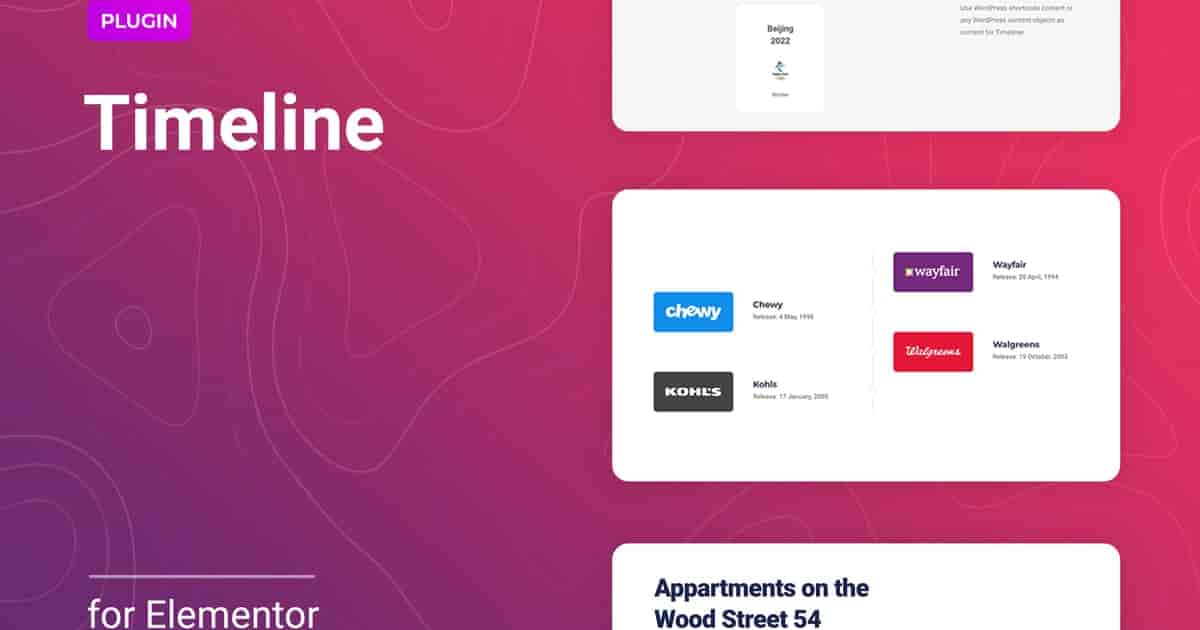
**Timeline (زمانبندی)** — یک افزونه وردپرس ساده و سبک برای المنتور است تا یک جدول زمانی را در وبسایت خود به صورت افقی یا عمودی ایجاد کنید. این روشی عالی برای نمایش رویدادها به ترتیب زمانی، تاریخچه شخصی/شرکتی، پروژههای شما یا هر اطلاعات دیگر است. چنین داستانسرایی جذاب و کاملاً واکنشگرا، به جلب توجه بازدیدکنندگان شما و افزایش نرخ تبدیل کمک میکند. این افزونه میتواند به طور خودکار در یک عرض صفحه مشخص (که در تنظیمات تعیین میشود) از حالت افقی به عمودی تغییر کند.
با استفاده از محتوای سفارشی، میتوانید هر اطلاعات لازمای را به خط زمان خود اضافه کنید. چیدمان نمایش بلوک را سفارشی کنید: هر یک از عناصر مانند تصویر، عنوان، توضیحات و دکمه را ایجاد، حذف، بازچینش یا کپی کنید. با گزینههای موجود، میتوانید تعداد مدخلهای خط زمانی نمایش داده شده در هر صفحه یا آیتم شروع را مشخص کنید. این افزونه امکان ایجاد هر تعداد داستانسرایی که پروژه شما نیاز دارد را فراهم میکند و فضایی برای خلاقیت ارائه میدهد. افزونه وردپرس Timeline میتواند برای سایتهای مختلف مانند وبلاگهای شخصی/شرکتی، نمونهکارها، گالریها، سبک زندگی، پورتالهای خبری و بسیاری دیگر مفید باشد.
**ویژگیهای افزونه وردپرس Timeline برای المنتور**
* حالتهای نمایش افقی و عمودی
* تغییر حالت نمایش خط زمان بسته به عرض صفحه
* تنظیم تعداد آیتمهای قابل مشاهده
* تنظیم شماره آیتم شروع
* محتوای سفارشی آیتمها
* چیدمان سفارشی آیتمها
* تنظیمات انعطافپذیر استایل
* سازگار کامل با المنتور 2.5 و بالاتر
* به خوبی با تمام قالبهای وردپرس ساخته شده بر اساس المنتور کار میکند
* کاملاً بهینه برای سئو (SEO Friendly)
* فایل POT گنجانده شده برای ترجمه سریع به هر زبانی
* مناسب کامل برای جهتدهی راست به چپ (RTL)
* نصب سریع و روان
* تست شده و سازگار تا وردپرس 5+
* سبک و سریع
* پشتیبانی از تمام مرورگرهای اصلی: کروم، فایرفاکس، سافاری، اپرا و اج (Chrome, Firefox, Safari, Opera, Edge)
* آسان برای استفاده و سفارشیسازی با رابط کاربری مدرن
* راهنمای نصب و راهنمای کاربری جامع
* شش ماه پشتیبانی رایگان (برای خریداران CodeCanyon)
بسته این محصول شامل **5 قالب آماده** است تا به شما کمک کند سریع با Timeline شروع کنید و شما را برای ایجاد پروژه منحصر به فرد خود الهام بخشد. تنظیمات استایل انعطافپذیر و ساده به شما کمک میکند نمایش هر عنصر را مطابق با نیازها و خواستههای شما تنظیم کنید. رنگ، تایپوگرافی، رنگ پسزمینه، حاشیه، فاصلههای بیرونی و درونی (margin و padding) را برای خطوط زمانی تغییر دهید یا فیلتر CSS را برای تصاویر مدخلها اعمال کنید تا نتیجه منحصر به فردی به دست آورید. همه اینها مستقیماً از طریق رابط المنتور قابل پیکربندی است و به دانش کدنویسی اضافی نیاز ندارد.
خط زمانی برای المنتور به طور استثنایی با تمام مرورگرهای مدرن سازگار است. مهم نیست کاربران سایت شما را با کدام مرورگر مشاهده میکنند: کروم، فایرفاکس، اپرا، سافاری یا اج. همه چیز در تمام دستگاهها و در همه مرورگرها عالی به نظر خواهد رسید. نصب افزونه تنها چند ثانیه طول میکد. همچنین، نیازی به انجام هیچ تنظیمات اضافی ندارید. افزونه بلافاصله پس از نصب آماده به کار است – فقط نیاز به نصب و فعالسازی دارد.
Description
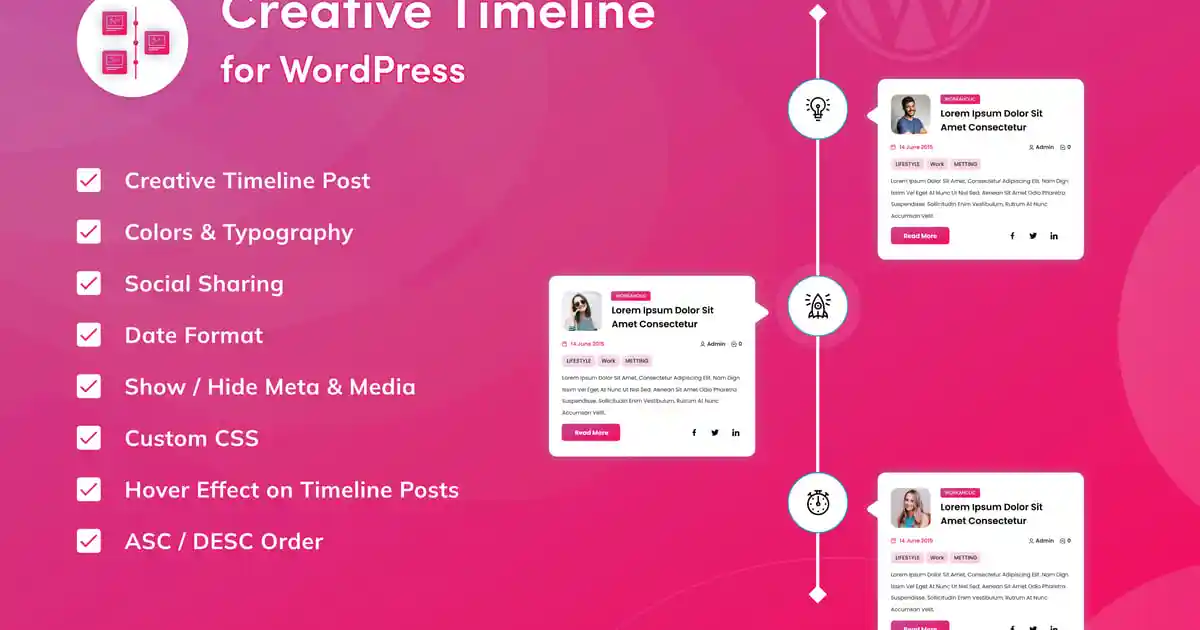
Timeline is a simple and lightweight WordPress plugin for Elementor to create a timeline for your website in a horizontal or vertical format. It is a great way to display events in chronological order, personal/company history, your projects, or any other information. Such a fully responsive, attractive storyline helps to catch the attention of your visitors and increase conversion. It can automatically adapt from horizontal to vertical mode at a certain screen width specified in the settings.
Using the custom content, you can add any necessary information to your timeline. Customize a display layout of the block: create, delete, reorder or copy each of the elements such as Image, Title, Description, Button. With the available options, you can control the number of displayed timeline entries per screen or specify the first item. The plugin allowing to create as many storylines as your project requires providing space for creativity. The Timeline WordPress plugin can be useful for different sites like personal/corporate blogs, portfolios, galleries, lifestyle, news portals, and many others.
Features of the Timeline WordPress plugin for Elementor
Horizontal and vertical display modes
Changing the timeline display mode depending on the screen width
Settings the number of visible items
Setting the start item number
Custom content of items
Сustom items layout
Flexible style settings
Perfect for Elementor 2.5 and higher
Works well with all WordPress themes built on Elementor
Totally Seo Friendly
Included pot file for quick translation on any language
Perfect for RTL direction
Fast and smooth installing
Tested and compatible up to WordPress 5+
Lightweight and Fast
All major browsers supported Chrome, Firefox, Safari, Opera, and Edge
Easy to use and customize with modern User Interface
Installation Guide and detailed Users Manual
Six months Included Support for CodeCanyon buyers
The item package includes 5 prepared templates to help you get started quickly with the Timeline and inspire you to create your unique project. Flexible and straightforward style settings will help you set up the display of each element following your requirements and wishes. Change the color, typography, background color, border, margins, padding for timelines, or apply CSS filter for images of entries to get the unique result. All this can be configured directly from the Elementor’s interface and does not require additional code knowledge.
The timeline for Elementor is exceptionally compatible with all modern browsers. It does not matter which browser users view your site: Chrome, Firefox, Opera, Safari, or Edge. Everything will look great on all devices and in all browsers. The plugin installation takes only a few seconds. Also, you do not need to make any additional settings. The plugin is ready to work immediately after installation – you only need to install and activate it in WordPress.
.فقط مشتریانی که این محصول را خریداری کرده اند و وارد سیستم شده اند میتوانند برای این محصول دیدگاه ارسال کنند.
















No account yet?
Create an Account


دیدگاهها
Clear filtersهیچ دیدگاهی برای این محصول نوشته نشده است.